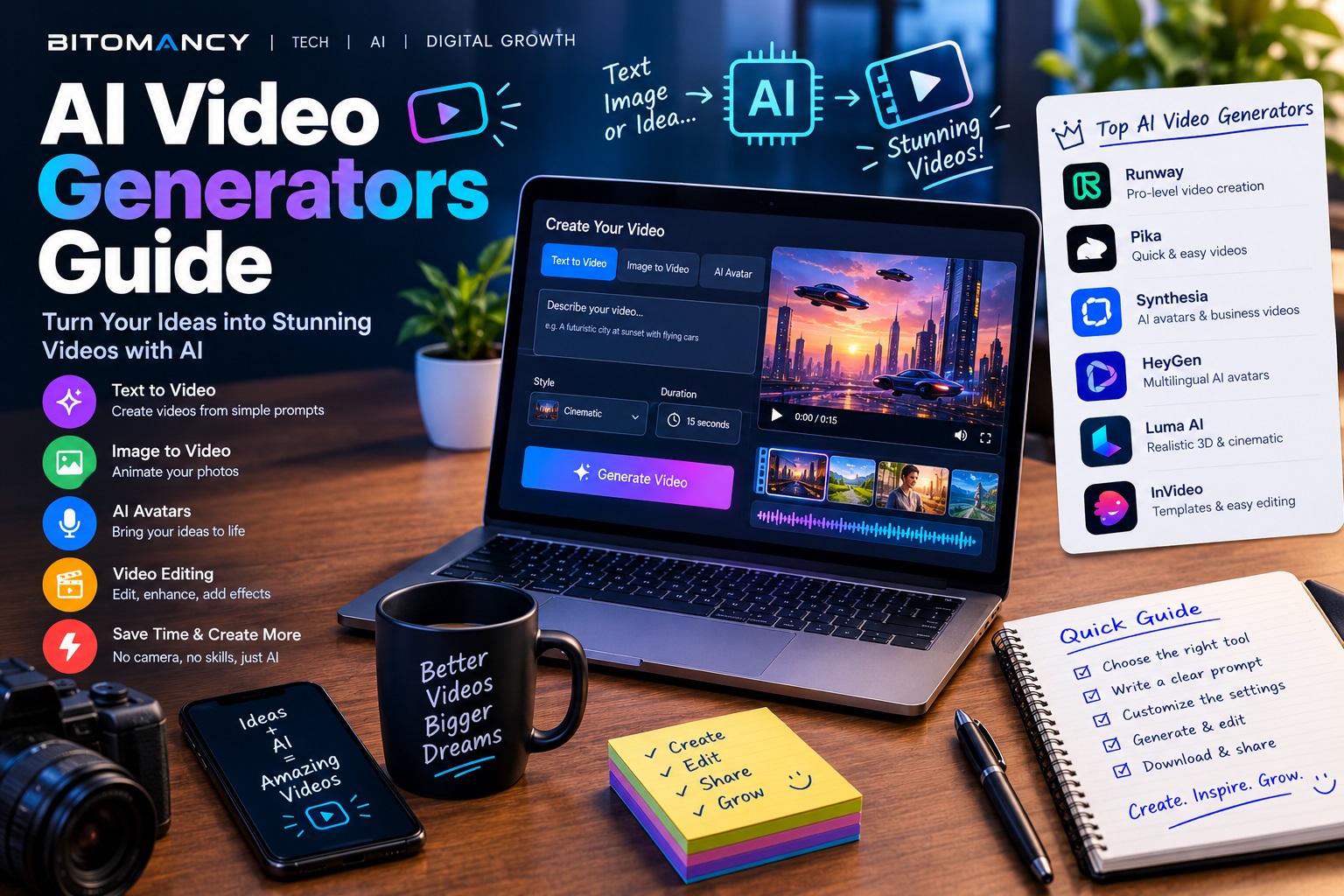
AI video is one of the fastest-moving areas in technology. This week, AI video was the fastest-rising topic in the AI Weekly news index, with story volume up 200% versus the previous week.
For creators, marketers and teachers, that means faster production and lower costs. It also means a crowded market and real risks. This guide explains how AI video generators work, how to choose one, and how to build a simple, responsible workflow.
In This Guide
- What is an AI video generator?
- How text-to-video works
- Best use cases
- How to choose a tool
- A simple creator workflow
- Limits and risks
What Is an AI Video Generator?
An AI video generator is software that creates video from text prompts, still images or existing footage, using machine learning models trained on large amounts of visual data. Types include text-to-video, image-to-video, AI avatars that speak a script, and tools that edit or repurpose footage you already have.
How Text-to-Video Works
At a high level, the model learns patterns between descriptions and moving images. When you write a prompt, it generates a sequence of frames that matches your description, keeping objects and motion as consistent as it can from frame to frame. Related technology, such as computer vision, helps machines understand what is happening in images, which is the other side of the same field.
Results depend heavily on your prompt. The same principles from our prompt engineering guide apply: be specific about subject, setting, camera movement, lighting and style.
Best Use Cases
- Short social clips and ads: quick concept videos and product teasers
- Explainer and education videos: animated visuals for abstract topics
- B-roll: background footage to cover narration
- Storyboarding: testing ideas before a real shoot
- Localization: adapting a video for different languages and audiences
How to Choose a Tool
Features and prices change quickly, so compare tools on criteria rather than hype:
- Output quality: test the same prompt on two or three tools
- Clip length and resolution: check limits on each plan
- Control: can you guide motion, style and consistency?
- Licensing: is commercial use allowed on your plan?
- Cost per usable clip: count retries, not only subscription price
- Privacy and safety: how are your uploads and prompts handled?
Smart Copy PRO
Turn copied text into summaries, professional emails and LinkedIn-ready content in seconds.
Get Smart Copy PRO →A Simple Creator Workflow
- Script first. Write a short script or outline before you generate anything.
- Break it into shots. Plan 3 to 8 second scenes with one idea each.
- Write detailed prompts for each shot, including style and camera notes.
- Generate several versions and keep only the best.
- Edit it together with voiceover, captions and music in a normal video editor.
- Review and disclose. Check for visual errors and label AI content where required.
This step-by-step approach mirrors any good AI-powered workflow: plan, generate, review, refine.
Limits and Risks
- Visual glitches: hands, text and physics can look wrong
- Consistency: characters and objects may change between shots
- Copyright and likeness: don't generate real people or protected characters without permission
- Misuse: realistic fake video can mislead audiences, so label your content honestly
- Quality bar: viewers quickly tire of generic AI footage, so add your voice and ideas
Key Takeaways
- AI video tools are best for short clips, B-roll, storyboards and explainers.
- Prompts matter. Be specific about subject, motion, camera and style.
- Compare tools on quality, control, licensing and cost per usable clip.
- Edit and review outputs, and disclose AI use where required.
- Your ideas and script are the real differentiator.
Frequently Asked Questions
What is an AI video generator?
An AI video generator is software that creates video clips from text prompts, images or existing footage using machine learning models trained on large amounts of video data.
Are AI video generators free?
Many offer limited free tiers, but higher resolution, longer clips and commercial use usually require a paid plan. Always check current pricing and licensing terms.
Can I use AI-generated video commercially?
It depends on each tool's license and your plan. Read the terms carefully and avoid generating real people's likenesses or copyrighted characters without permission.
Should I disclose that a video is AI-generated?
Disclosure is good practice and is required on some platforms for realistic synthetic content. Check the rules of each platform you publish on.
Conclusion
AI video generators won't replace creative judgment, but they can remove a lot of production friction. Start small: pick one use case, test two tools with the same script, and keep the one that gives you the most usable clips for the least effort.
Explore More on BITOMANCY
Want more practical AI and technology guides? Visit the BITOMANCY homepage for more articles on artificial intelligence, automation, SEO and emerging technology.