Digital products: GST Invoicing, Writing & Trading Education Tools
Three practical tools by BITOMANCY: an offline GST invoice generator for Indian businesses, a writing assistant for emails and LinkedIn posts, and an educational NIFTY and BANK NIFTY chart tool. One-time purchases, no subscriptions, secure checkout on Gumroad.
Last updated:
Jump to: Compare products · InvoiceKit · InvoiceKit FAQ · Smart Copy PRO · Bitomancy Scalper · Scalper FAQ
Our products
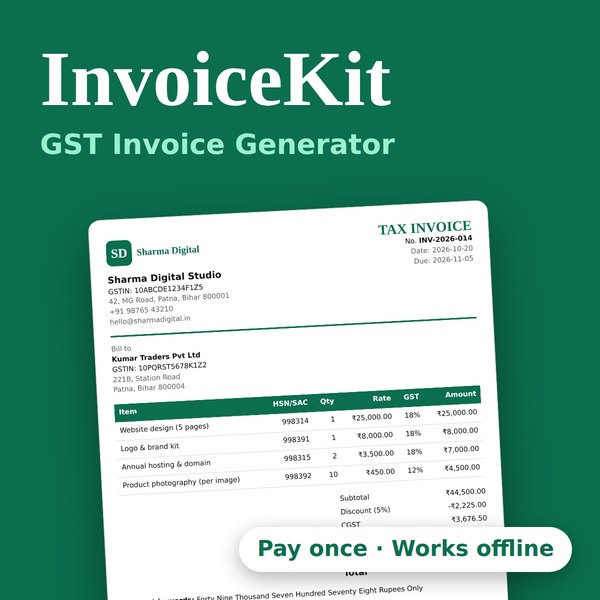
InvoiceKit
Professional GST invoices in about a minute. CGST/SGST/IGST, RCM, GST rates up to 40% and a signature box. Runs offline in your browser.
Smart Copy PRO
Turn raw text into summaries, professional emails and LinkedIn-ready posts.
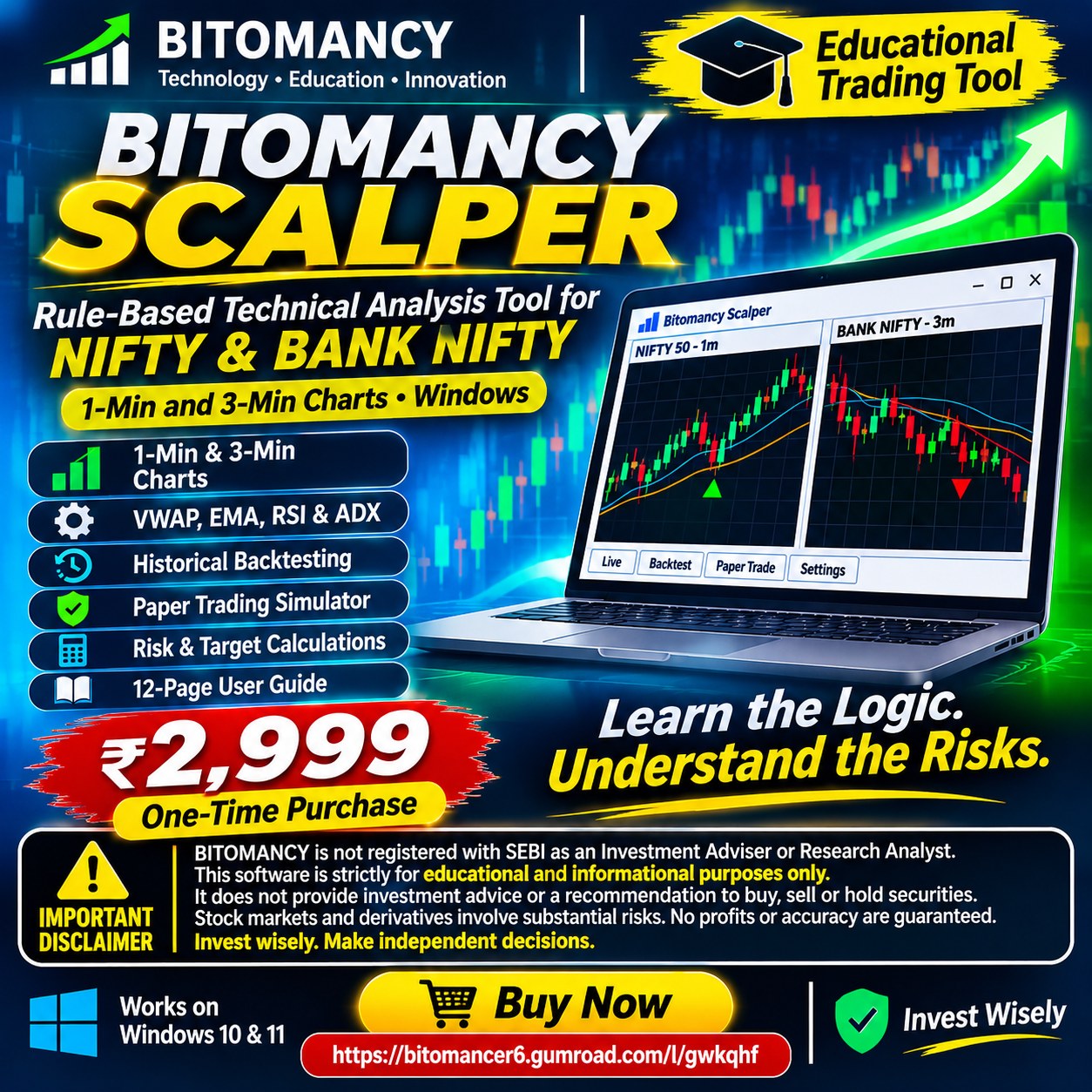
Bitomancy Scalper
Rule-based technical analysis tool for NIFTY and BANK NIFTY on 1-min and 3-min charts, with backtest and paper trading. Windows app. ₹2,999 one-time.
Which product is right for you?
| Product | Best for | Works on | Key features |
|---|---|---|---|
| InvoiceKit | Freelancers, shopkeepers and small businesses that need GST invoices | Any modern web browser, offline | CGST/SGST/IGST, RCM, GST rates up to 40%, serial numbers, signature box, PDF |
| Smart Copy PRO | Marketers, students and professionals who write every week | See the Gumroad page | Text summaries, email writer, LinkedIn content, templates |
| Bitomancy Scalper | Intraday NIFTY and BANK NIFTY traders who want to learn and test rules (educational, not advice) | Windows 10 and 11 (64-bit) | 1-min and 3-min charts, VWAP, EMA, RSI, ADX, backtest, paper trading, 12-page guide |
InvoiceKit: Offline GST Invoice Generator for India
Create clean, GST-ready invoices without a monthly subscription. Unzip it, open it in your browser and start billing. No install, no account, no internet needed.
Get InvoiceKit → One-time purchase · secure checkout on Gumroad
GST and tax
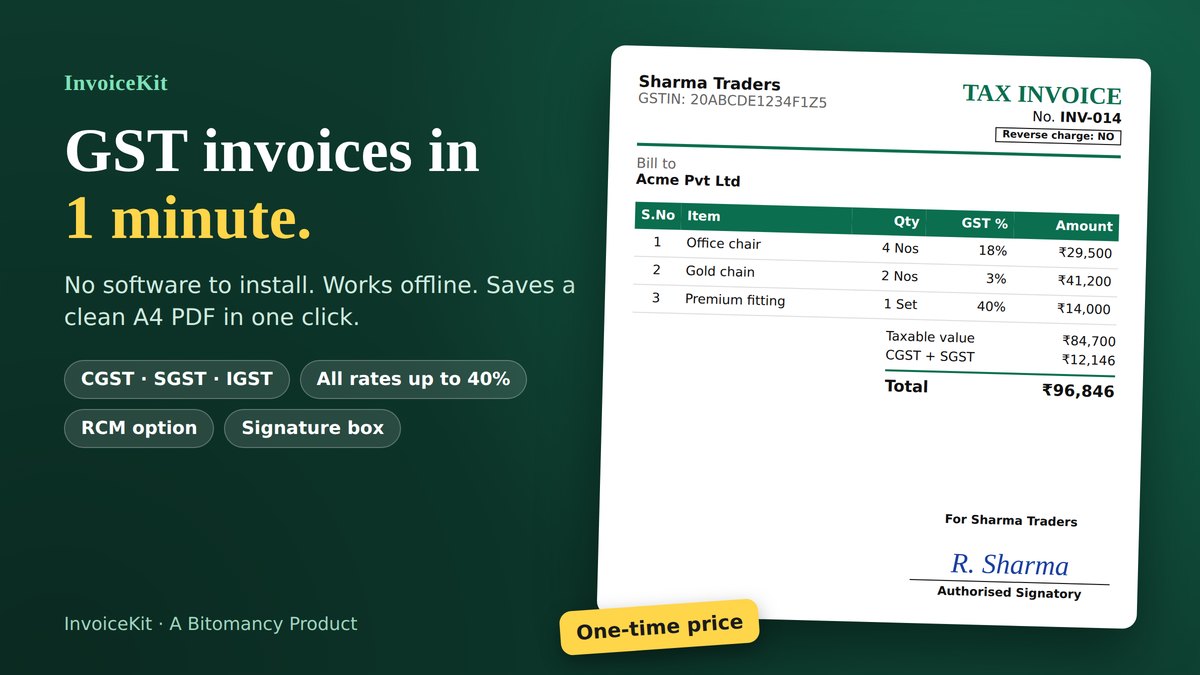
- CGST + SGST, IGST or no tax: InvoiceKit can pick the right split automatically from your GSTIN and the customer's GSTIN, or from the place of supply (state) you choose, which helps when the customer has no GSTIN.
- Reverse charge (RCM) option: when GST is payable by the recipient, switch on RCM. The GST is calculated and shown for the recipient but not added to your invoice total, and the bill prints "Reverse charge: YES/NO".
- All GST rates, including 40%: 0, 0.1, 0.25, 1.5, 3, 5, 12, 18, 28 and 40%, plus a custom rate. Under GST 2.0 (effective 22 September 2025) the main slabs are 5% and 18%, with 40% for specified goods. The old 12% and 28% rates are kept for older invoices, credit notes and debit notes. Always check the correct rate for each item.
- GSTIN check: your GSTIN and the customer's GSTIN are checked for format and check digit as you type.
- Prices with or without GST: enter rates excluding or including GST, with discounts (percent or flat), shipping or other charges with their own GST, and round-off.
Invoice layout
- Serial number (S.No) on every item, with HSN/SAC, quantity, unit (Nos, Kg, Ltr, Hrs and more), rate, taxable value, GST % and amount.
- Authorised signatory box in the bottom-right corner of the bill, with "For your company name", space to sign, an optional signature or stamp image and the signatory's name.
- Six document types: Tax Invoice, Proforma Invoice, Quotation, Credit Note, Debit Note and Bill of Supply.
- Your branding: logo, accent colour, company name, GSTIN and address, plus a PO or reference number for each invoice.
- Amount in words in Indian format (Lakh, Crore, Rupees and Paise), and a tax summary by HSN/SAC.
- Bank and UPI details and default terms printed on every invoice, with advance paid and balance due.
- PDF download on A4 using your browser's "Save as PDF". The PDF is named from your invoice number.
Customers, records and backup
- Saved customers, and a Duplicate invoice button that copies a bill with the next invoice number.
- Payment tracking (Paid, Unpaid, Overdue) with your outstanding total.
- CSV export for your accountant, with taxable value, CGST, SGST, IGST, reverse charge and totals for every saved invoice.
- Backup and restore of all your data, and ₹, $, €, £ or AED currencies.
- Large, private storage: invoices are kept in your browser's IndexedDB database, which holds thousands of invoices, and nothing is uploaded anywhere.
Who it's for
Freelancers, shopkeepers, traders, agencies, consultants and small businesses in India who need quick, professional GST invoices without a complicated accounting tool or a monthly subscription.
How it works
- Click Get InvoiceKit and complete checkout on Gumroad.
- Download and unzip the file, then open
InvoiceKit.htmlin your browser. - Add your company details, logo and signature, add a customer and items, then click Download PDF.
- To remove the trial notice and 5-invoice limit, email your Machine ID and Gumroad receipt to support.bitomancy@gmail.com and paste the activation code you receive.
Good to know
- Your data is stored only in your own browser and is never uploaded. Clearing browser data erases it, so use Download backup regularly and use the same browser each time.
- One licence covers one user, one business and one computer (the browser you activate in).
- InvoiceKit is a billing template, not tax advice. Please check GST rates, RCM and other rules for your business with your accountant.
- It does not generate e-invoices with an IRN and QR code. If your business must issue those, use the government e-invoice system as well.
InvoiceKit FAQ
Does InvoiceKit support reverse charge (RCM)? Yes. Switch on the reverse charge option for an invoice. The GST is shown for the recipient to pay and is not added to the total. Check with your accountant whether RCM applies to a supply.
Which GST rates are included? 0, 0.1, 0.25, 1.5, 3, 5, 12, 18, 28 and 40%, plus a custom rate.
Can I add serial numbers and my signature? Yes. Every item has a serial number and each bill has an authorised signatory box where you can add a signature or stamp image.
Is it a subscription? No. It is a one-time purchase; see the Gumroad page for the current price.
Do I need internet? No, InvoiceKit works fully offline.
Where is my data stored? Only in your browser's own database (IndexedDB) on your computer. Use Download backup regularly.
Does it make e-invoices with IRN and QR code? No. It creates GST invoices and PDFs. E-invoices still come from the government e-invoice system.
How do I get support or move to a new computer? Email support.bitomancy@gmail.com with your Gumroad receipt.
Are there refunds? Refund terms are shown on the Gumroad product page at checkout.
Smart Copy PRO
Turn raw text into summaries, professional emails and LinkedIn-ready posts in seconds.
Get Smart Copy PRO → One-time purchase · secure checkout on Gumroad
What's included
- Text to Summary Generator — paste long text and get a short, readable summary.
- Email Writer — turn rough notes into a clear, professional email.
- LinkedIn Content Generator — convert ideas or articles into post-ready copy.
- Productivity templates — ready-made prompts and templates for everyday writing.
Who it's for
Freelancers, marketers, students and busy professionals who write emails, reports and social posts every week and want a faster first draft.
How it works
- Click Get Smart Copy PRO and complete checkout on Gumroad.
- Download the product from your Gumroad receipt or library.
- Paste your text, pick the output you want, and edit the result to your voice.
Questions
Is it a subscription? No. It is a one-time purchase; see the Gumroad page for the current price.
How do I get support? Email hello@bitomancy.in with your Gumroad receipt.
Are there refunds? Refund terms are shown on the Gumroad product page at checkout.
Bitomancy Scalper: Rule-Based Trading Tool for NIFTY & BANK NIFTY
An educational, rule-based technical analysis tool for Windows. It scores live 1-minute and 3-minute NIFTY and BANK NIFTY candles against a fixed set of published rules and shows BUY, SELL or WAIT with the reasons. Learn the logic, test it, and understand the risks.
Get Bitomancy Scalper → ₹2,999 one-time purchase · secure checkout on Gumroad · Windows 10 & 11
Screenshots and the ad image show Demo replay mode with simulated prices.
What's included
- 1-minute and 3-minute charts for NIFTY 50 and BANK NIFTY, refreshed automatically.
- BUY / SELL / WAIT on every closed candle, with a strength grade (WEAK, GOOD, STRONG), a confidence figure and the exact reasons.
- Three signal modes: Strict (fewer, cleaner), Normal and Aggressive (more signals).
- VWAP, EMA, RSI and ADX, plus yesterday's high, low and close and signal markers on the chart.
- Risk and target calculations: choose your strike (ITM 2 to OTM 2), type the option price and see the stop, two targets, cost, maximum loss and lots that fit your own capital and risk %.
- Historical backtesting of the last 5 days: win rate, average R, profit factor and drawdown, measured after a cost of 0.1R per trade.
- Paper trading simulator that follows live signals to stop or target and keeps a running record, with a daily guard that warns you to stop after a bad paper-trading day.
- Sound and desktop alerts, a keep-on-top window and CSV export.
- Demo replay to practise any time, even when the market is closed.
- 12-page PDF user guide that explains every rule. Nothing is hidden.
How it decides
The app adds up points for price above or below VWAP, EMA9 against EMA21, RSI, ADX trend strength, breaks of recent highs and lows, pullbacks that resume, the opening range, agreement of longer-timeframe trends and yesterday's levels. It also shows cautions such as the lunch-hour chop window, no clear trend, price hugging VWAP, a high India VIX and event days you enter yourself. In Strict mode a caution blocks the signal.
1-minute or 3-minute: your choice
- 1-minute chart: faster, more signals, more noise.
- 3-minute chart: fewer, steadier signals, slower entries.
Run the backtest and paper trades on the timeframe you actually plan to trade.
Who it's for
Intraday NIFTY and BANK NIFTY options traders who want a rules-based checklist, and people who want to learn and test trading rules with their own numbers. It is not for anyone who wants guaranteed profits, automatic order placement, or a Mac or phone app. It does not place orders or connect to your broker.
How it works
- Click Get Bitomancy Scalper and complete checkout on Gumroad.
- Download and open
BitomancyScalper.exe, then accept the Terms and Disclaimer. - Click the Trial / Activate button and copy your Machine ID.
- Email your Machine ID and Gumroad receipt to support.bitomancy@gmail.com. You receive an activation code for that computer, usually within 24 hours.
- Paste the code and click Activate.
Good to know
- A 3-day trial of the live feed is included, and Demo replay always works.
- One purchase is one licence for one computer. If you reinstall Windows or change computer, email your new Machine ID and we will help.
- Requires Windows 10 or 11 (64-bit) and an internet connection. No API key, no login, no subscription.
- The app is not code-signed, so Windows may show "Windows protected your PC". Click More info, then Run anyway, and only use the file you downloaded from your Gumroad purchase.
- Prices come from a free third-party data feed that can be delayed or unavailable, and index volume is not available. Always check the "last candle" time and compare with your broker before you act.
- Backtests, paper trades and demo data do not predict future results. Consult a SEBI-registered investment adviser and never trade money you cannot afford to lose.
Bitomancy Scalper FAQ
Does it place trades or connect to my broker? No. It only shows signals and a plan. You place trades yourself.
Do I need an API key or a subscription? No. The signals are calculated on your computer from price data.
Is the data real time? It uses a free feed that may be delayed. The app shows the age of the last candle so you can check before acting.
Will it make money? No tool can promise that. Use the backtest and paper trading to judge the rules yourself.
Can I use it on two computers? No. One purchase is one licence for one computer.
I changed my computer. What now? Email your new Machine ID and your receipt to support.bitomancy@gmail.com.
Does it work on Mac, Android or iPhone? Not in this version. Windows only.
Windows says the app is unsafe. New apps that are not code-signed trigger a warning. Choose More info, then Run anyway.
Are there refunds? Refund terms are shown on the Gumroad product page at checkout.
Want to try our work first? Use the free online tools or read the BITOMANCY guides. Learn more about BITOMANCY, read the disclaimer and terms, or contact us before you buy.